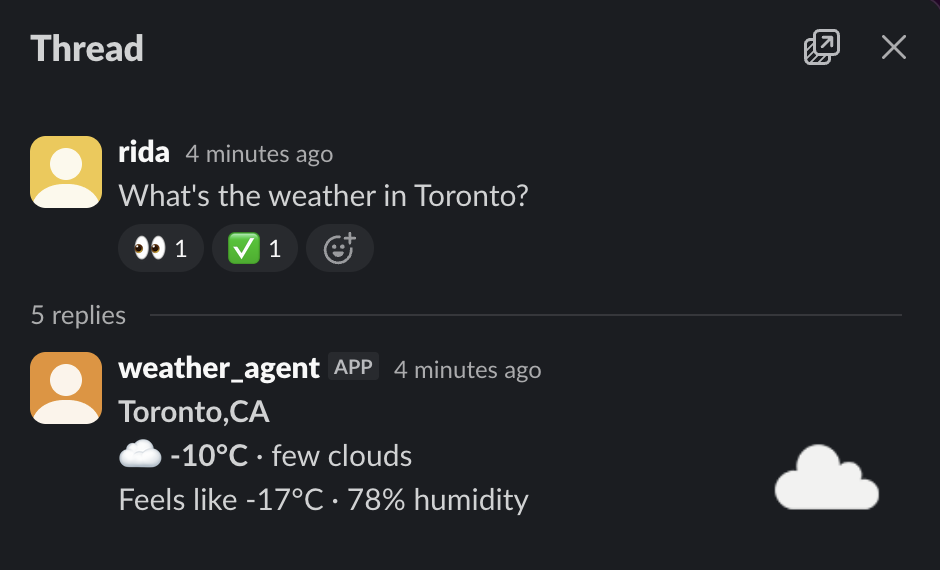
I’ve been building a multi-channel AI agent framework. The idea is simple: an agent shouldn’t care what channel it’s talking through. Ask it for the weather in Slack, you get a native Slack message with Block Kit formatting. Ask the same question in the web UI, you get a rich widget. Same tool, different renderings.
The MCP server returns all the formats at once. The agent framework figures out which channel the user is on and extracts the right one.
Tools stay stable. Channels evolve independently.
I had this working for our web UI using ChatKit widgets and the ui:// embedded resource pattern. Same weather query, rich native rendering.
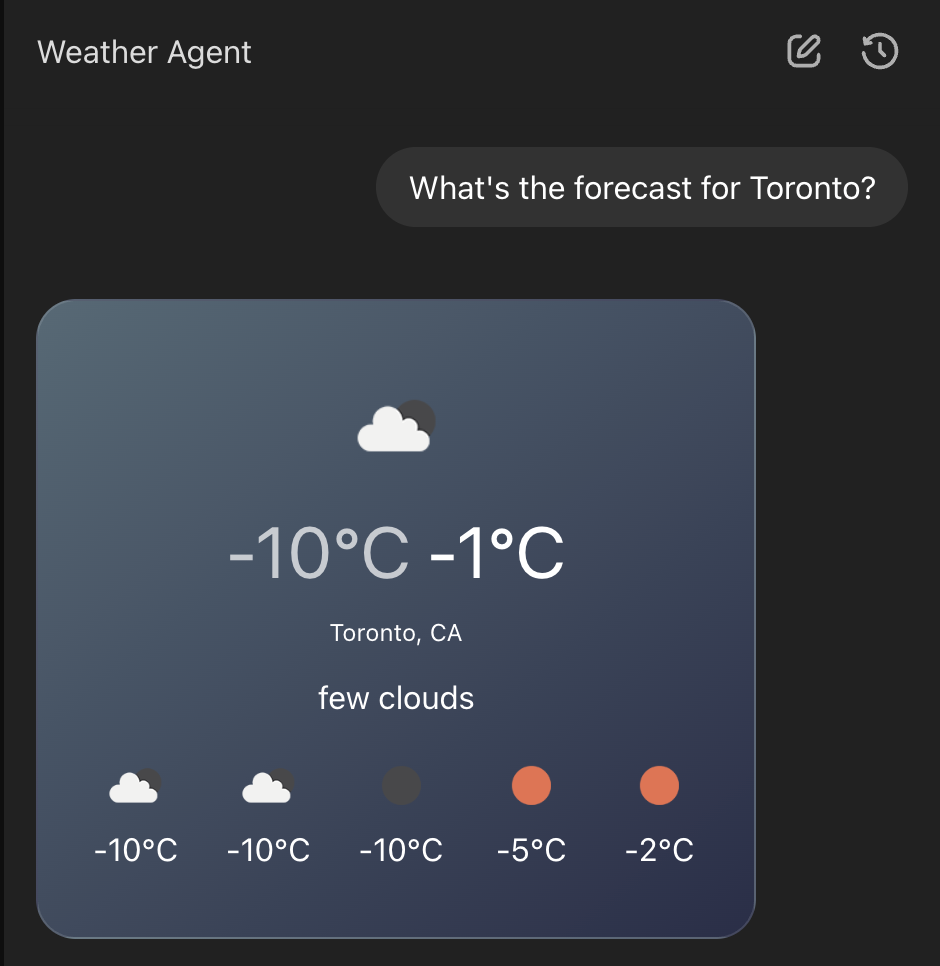
Time to add Slack support.
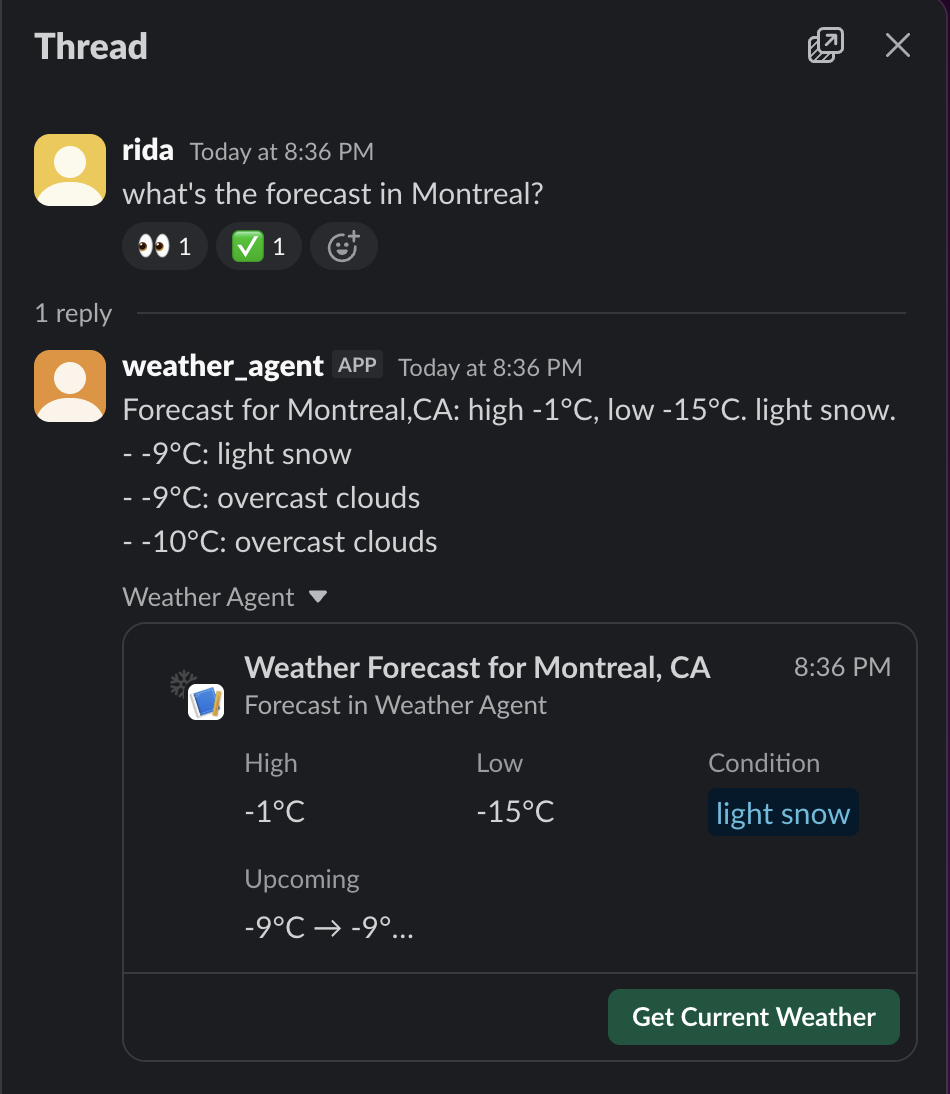
Slack has two options for rich content. The short version: Block Kit is for messages, Work Objects are for entities.
Block Kit is their standard structured message format: buttons, fields, images. It’s good for compact inline content. Current temperature, a quick summary, action buttons.
Work Objects are different. They’re those expandable “unfurl” cards you see when someone pastes a link, except you can generate them programmatically. They support custom fields, actions, and a flexpane sidebar that slides open with more detail. Use Block Kit when you want structured content in the message flow. Use Work Objects when you’re representing an entity that users might want to inspect or act on.
I built the templates. Wired up the extraction. Called the Slack API.
200 OK.
The message text appeared in the channel. But no Work Object. No rich unfurl. Just plain text.
No error. No warning in the response body. Just… nothing.
This is the part of AI development that doesn’t get talked about. The agent did its job. The MCP server returned the right data. The API said success. But the feature didn’t work.
It’s the bingo machine problem, except the machine is the external API. You watch the pieces fall into place, you get the green light, and then you check the actual output and it’s wrong.
I started debugging. Checked the template hydration. Correct. Checked the JSON structure. Valid. Checked the API call parameters. All there. Re-read the Slack documentation for Work Objects.
Then I noticed something. The Work Objects docs show a different metadata structure than regular Slack message metadata.
Regular message metadata nests entities inside event_payload:
| |
Work Objects put entities at the top level:
| |
I’d been using the wrong structure. An easy mistake if you’ve worked with Slack’s regular metadata before.
Fixed it. Deployed. Called the API.
200 OK. Still no Work Object.
At this point I added debug logging that captured the full API response, not just the success/failure status. That’s when I found it. Buried in the response:
| |
The API accepted my request. Returned success. And silently dropped the Work Object because I was missing a required alt_text field on the product icon.
This is what I mean about APIs not being designed for agents. A human developer sees that warning in their logs during testing and fixes it. An AI agent declaring “done” after a 200 response has no idea the feature isn’t working. The API’s “helpful” behavior of accepting invalid data and degrading gracefully is exactly the opposite of what automated systems need.
Agents need loud failures. Explicit rejection. “Your metadata is invalid, here’s why, I’m not accepting this request.” Instead, Slack says “sure, no problem” and quietly ignores the parts it doesn’t like.
Once I fixed both issues, the pattern came together.
The MCP server returns multiple embedded resources in a single tool result:
| |
Each resource has a URI scheme that identifies what it is. ui:// for web widgets. slack://blocks/ for Block Kit. slack://work-objects/ for Work Objects. Custom MIME types tell you how to parse them.
(ChatKit widget)"] Blocks --> Slack["Slack
(Block Kit)"] WorkObj --> Slack2["Slack
(Work Object)"] Text --> CLI["CLI / fallback"]
The agent framework checks what channel it’s responding to and extracts the right resource. The extraction logic is straightforward: scan the content array for a resource matching the URI prefix and MIME type you want, then parse the JSON payload.
| |
Web UI? Extract the ui:// resource, render the widget. Slack? Check for slack://blocks/ first, fall back to slack://work-objects/, or just send plain text if neither exists.
The weather tool doesn’t know or care about any of this. It returns all the formats. The routing happens at the framework level. Adding a new channel means defining a URI scheme, writing a template, and teaching the channel adapter how to extract and send it. The tools never change.
Here’s what a Slack Work Object template looks like:
| |
The MCP server registers template types using a DSL:
| |
When the tool runs, it passes data to the template service, which hydrates all the registered templates and bundles them into the response. One tool call, multiple output formats, zero channel awareness in the tool itself.
A few things that will save you time.
Enable Work Objects in your Slack app first. Go to api.slack.com/apps, find your app, navigate to Work Object Previews, and enable slack#/entities/item. Without this, your metadata will be silently ignored regardless of whether it’s valid.
Always log the full API response from Slack. Their warning field contains information that doesn’t surface as an error.
| |
Use mrkdwn, not Markdown. Slack’s format uses single asterisks for bold. Don’t write your own converter. The slack-ruby-client gem handles it:
| |
Test Block Kit in the builder, but Work Objects require deployment. You can validate Block Kit JSON at app.slack.com/block-kit-builder before templating it. Work Objects don’t have an equivalent preview tool. You have to send them to a real channel and check whether they render. This makes the logging advice above even more important.
The bigger takeaway is about building agent systems that interact with external APIs. Silent failures are everywhere. APIs optimized for human developers degrade gracefully in ways that make agent verification hard.
When your agent calls an external service and gets a success response, that’s not enough. You need to verify the actual outcome. Did the Work Object render? Did the email actually send? Did the database row actually update?
For agents, success is not “the API accepted the request.” Success is “the world changed.”